Practice what matters.
Practice time is short – and without an overview it goes to the passages that already work. Mapestro shows you which passage is worth your time now. Across every piece you are preparing in parallel.
For everyone who makes music: violin, guitar, drums, piano, choir, voice – solo, in a band, in an ensemble, in an orchestra or in lessons.
The problem everyone knows
You practise what feels good
The passage that almost works is pleasant to play. The one that hurts gets postponed until tomorrow – for four weeks.
Passages get lost
Across five pieces of a hundred bars each, individual passages simply drop out of sight. You notice at the dress rehearsal.
Documenting is a chore
Practice diaries do not fail for lack of will. They fail because they are a second job next to practising.
Practice suggestions
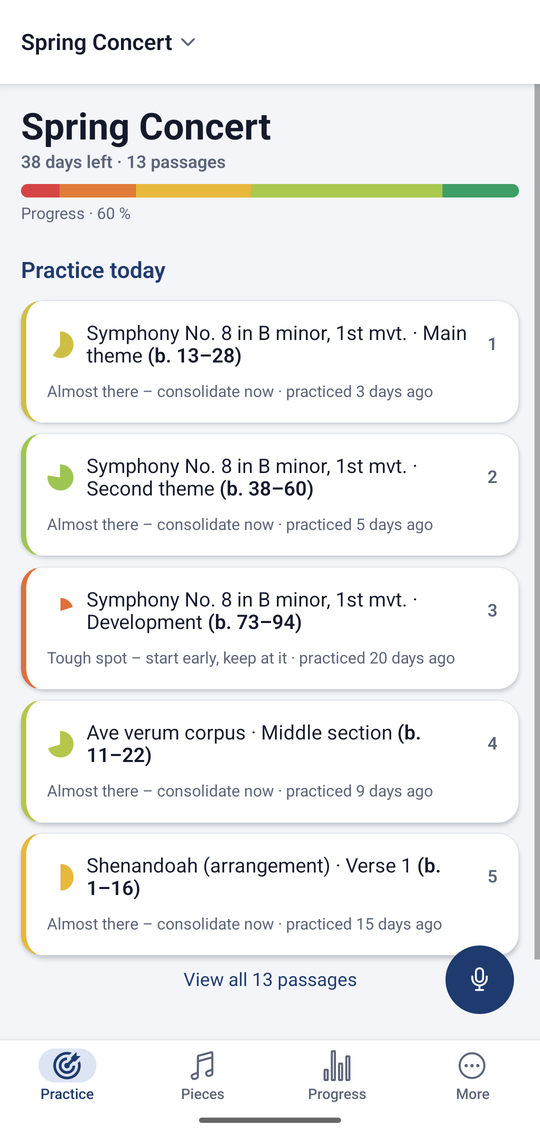
Five passages. In the order in which they pay off.
Mapestro weighs how well a passage sits, what practising it would still gain, how exposed it is musically and how long you have left it alone. The result is a short, numbered list – across every piece in your project.
What you did yesterday steps back. What has been sitting for three weeks moves up. And anything already concert-ready never shows up at all.
Nothing gets forgotten
The whole piece is covered – not just the trouble spots
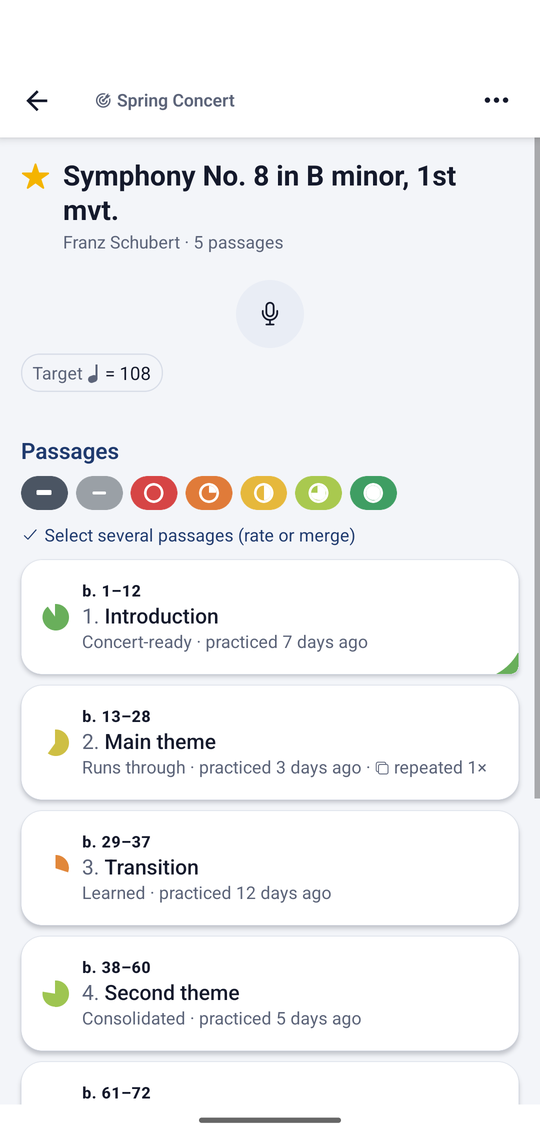
Passages cover a piece from bar one to the end. Bars where your part is silent are recorded as a rest; recurring material is linked to its main occurrence so you do not practise it twice. If a range is missing, the app tells you.
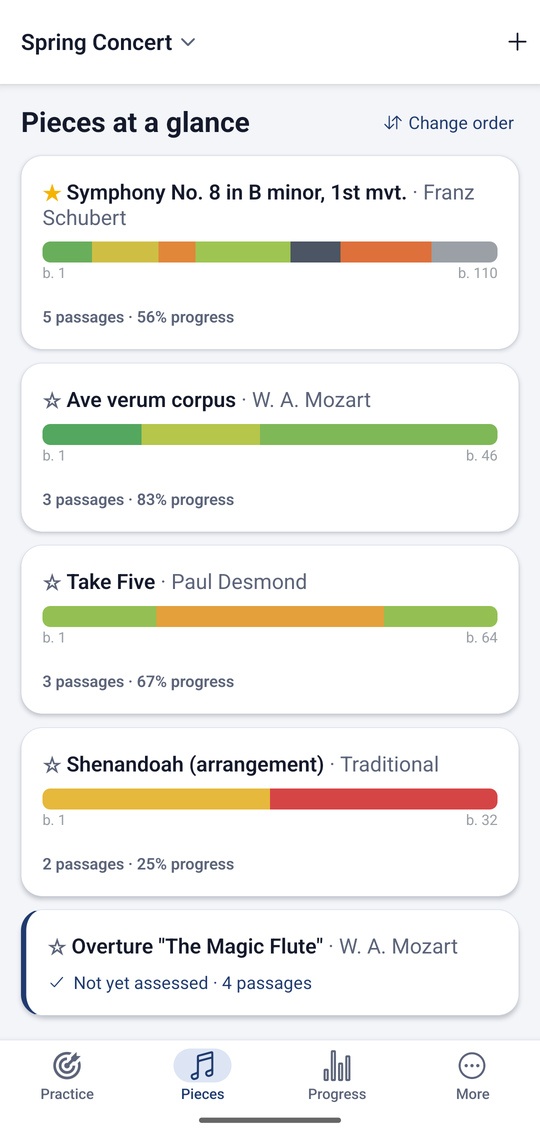
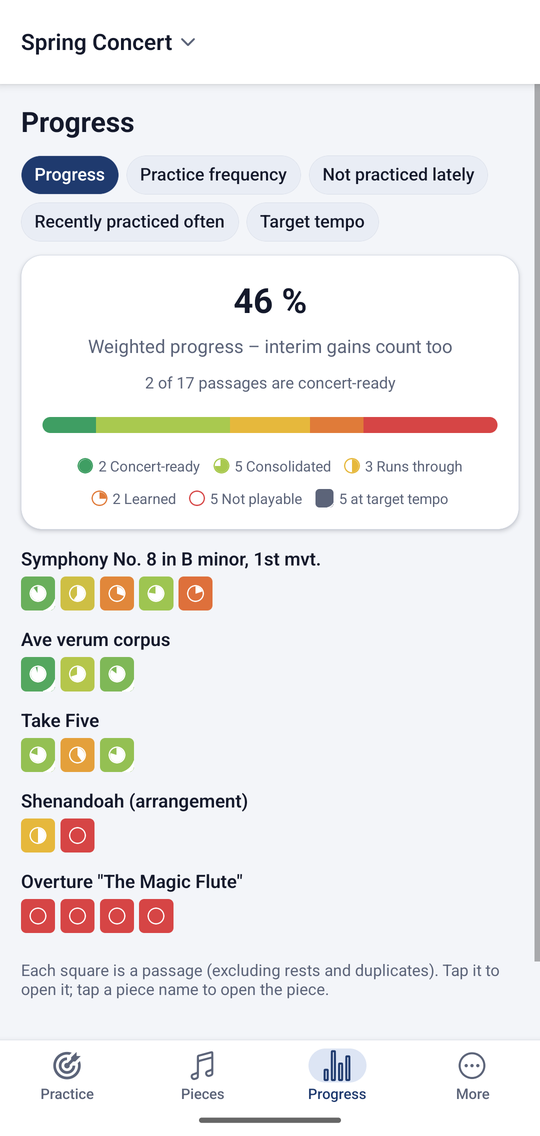
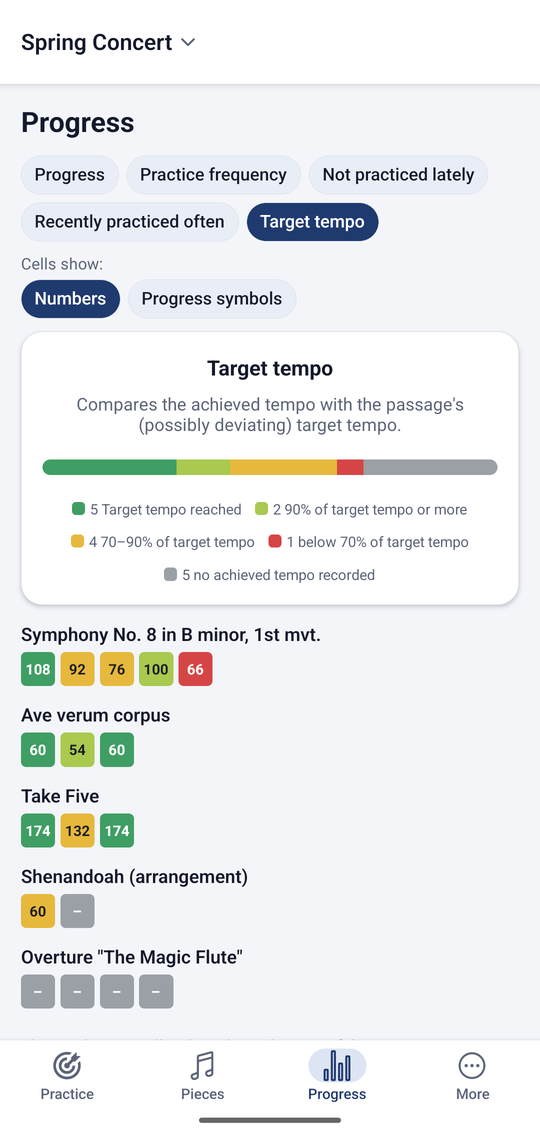
The colour strip shows every piece at a glance – from bar 1 to the double bar.
Tempo
Metronome built in – and your achieved tempo stays put
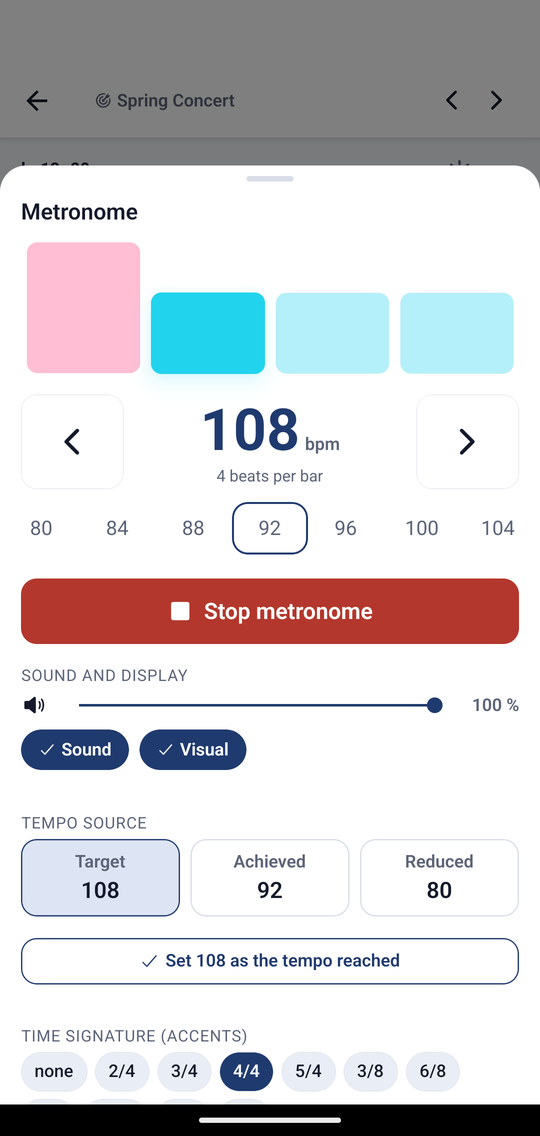
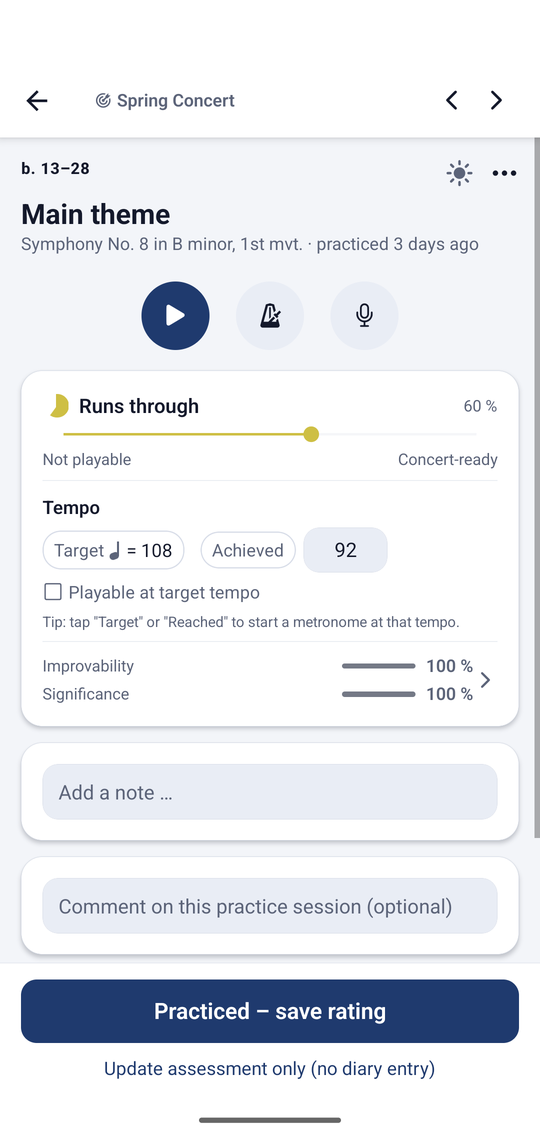
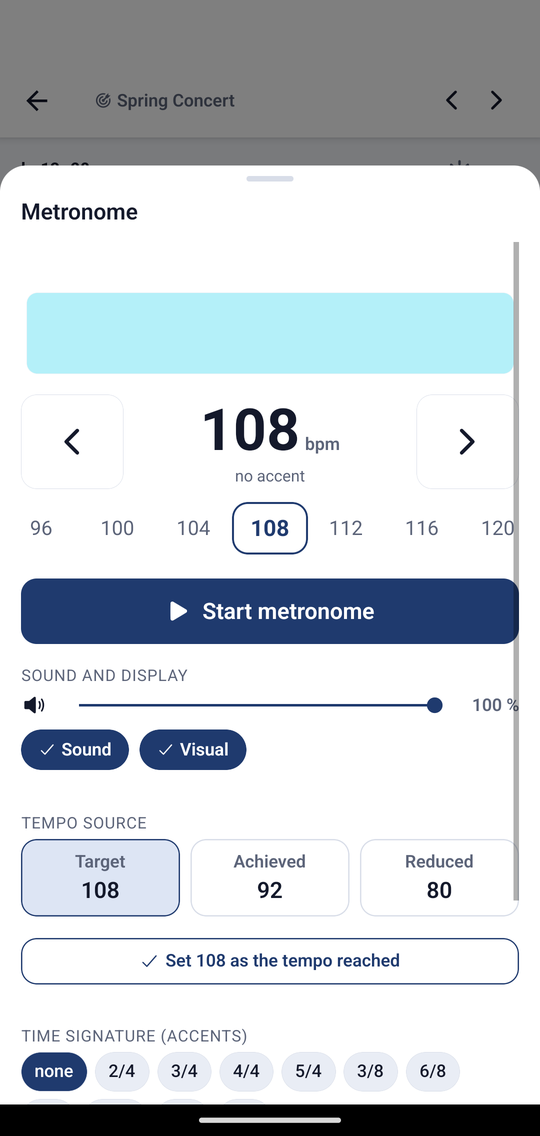
One tap on the tempo starts the metronome. For every passage you record the tempo you last got through cleanly – next time you start exactly there instead of feeling your way up again.
With a reduced practice tempo, time-signature accents, a visual beat for loud rooms and an automatic ramp that adds a notch every few bars.
For the next lesson
Write questions down instead of forgetting them by Thursday
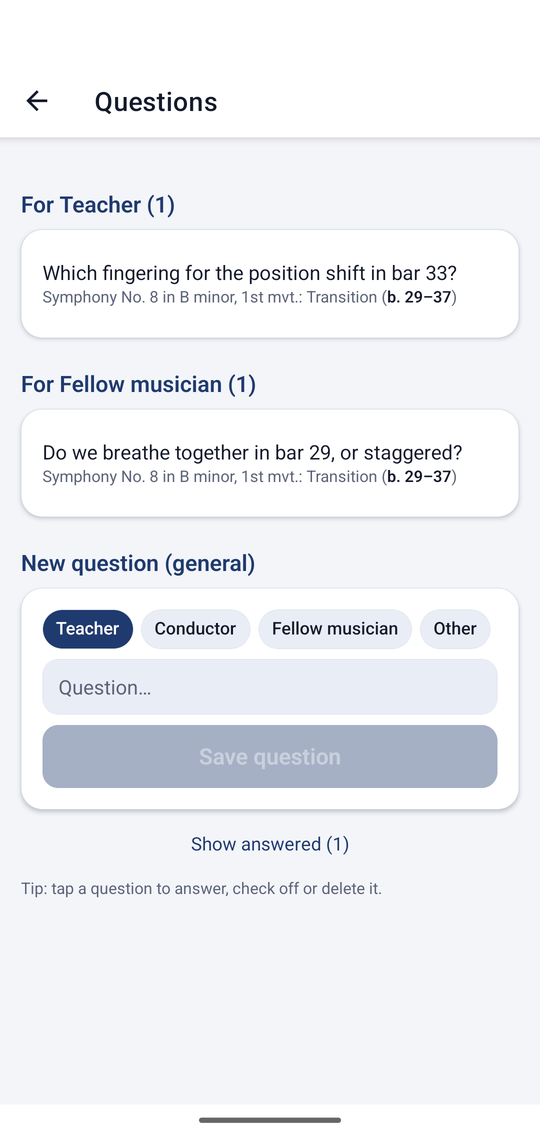
Fingering, a breath mark, sticking, a bowing: whatever you cannot settle alone, you note in two taps – attached to the passage and sorted by recipient. Teacher, conductor, fellow player, or a name of your own.
In the lesson you work through the list. The answer stays with the question, even months later.
As thorough as you like
All three routes lead to an overview nobody had before. They differ only in the effort up front – and you can switch at any time.
One passage per piece
No import, no bar numbers: progress tracking for your repertoire. Which piece sits, which does not, what nobody has touched in weeks.
Set the passages yourself
As bar numbers – or by marking the ranges with your finger directly on the score image. Full control, without counting bars.
Import the score
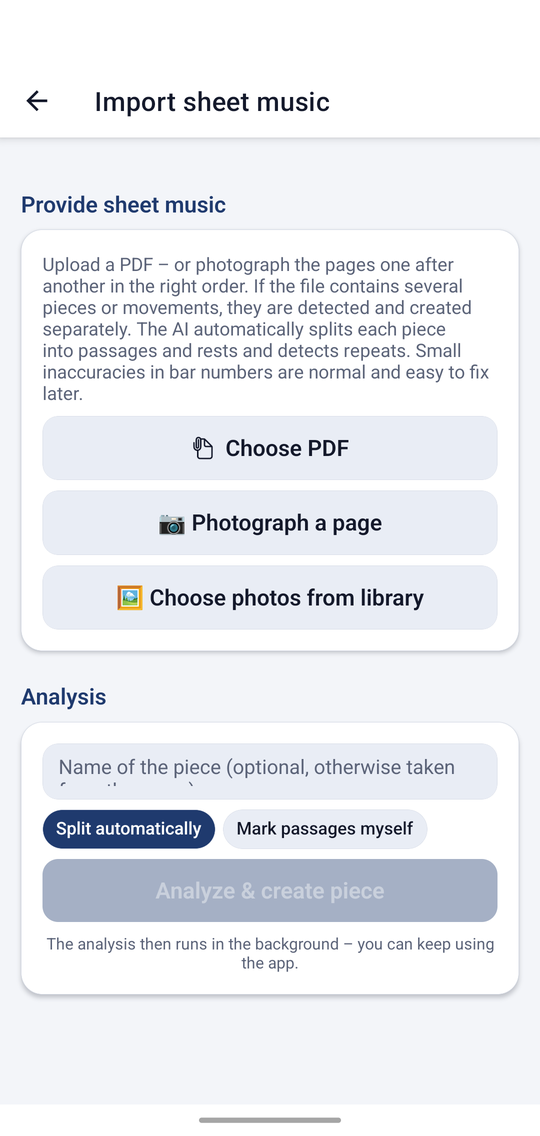
PDF or photos: the app splits the piece into passages, spots rests and repeats and reads title and composer. Several movements become separate pieces.
And also
Speak instead of type
“Passage 3 runs well now, tempo 88.” One tap on the microphone, speak freely, done.
A practice diary on the side
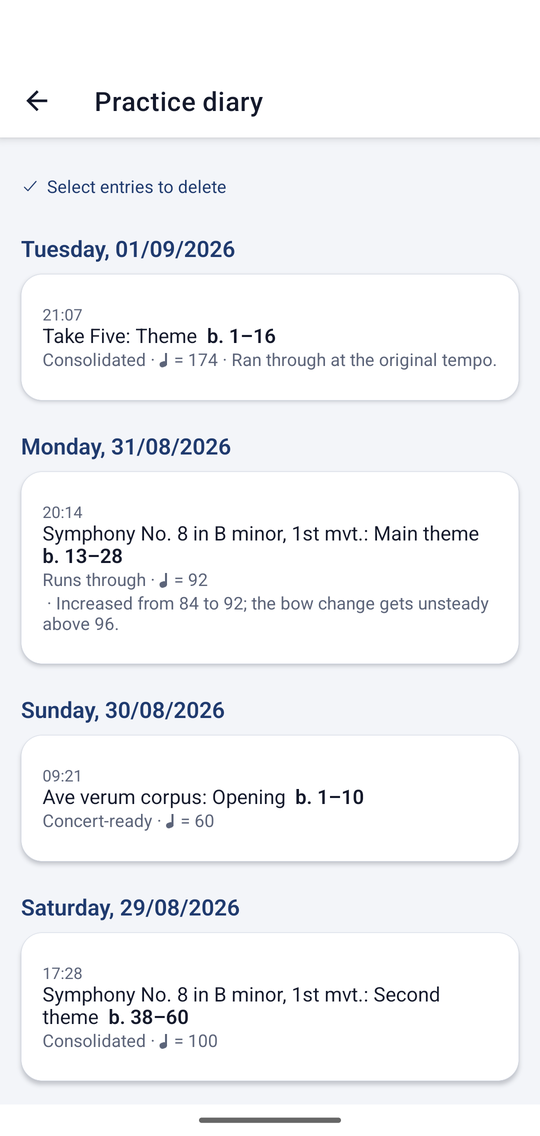
Every save creates an entry – with time, state and tempo. No extra work.
Play a passage back
Hear the passage as a piano sound at the target tempo before you play it yourself.
Several projects
Concert, lessons, band – each with its own date and its own suggestions.
PDF report
Progress, diary, detailed report and open questions – to print or send.
Tablet and phone
Encrypted sync between your own devices that doubles as a backup.
In the ensemble
Share a project or hand it over without your personal data – one person sets it up, everyone benefits.
Works offline
Practising, rating, metronome, diary: all of it without a network. Rehearsal rooms rarely have good reception.
Privacy
Your scores stay where they belong
Projects, pieces, ratings and score images live on your device. Our services run in a German data centre; score images are processed for the job at hand and not archived. Cloud sync is end-to-end encrypted – the server cannot read your data. No tracking, no advertising.
A look inside
Ten minutes, one piece
That is all it takes to feel the difference – and the value grows with every further piece.